ruby-Z80¶ ↑
-
Source repository.
-
Download zip.
Gemfile¶ ↑
gem 'z80', git: 'https://github.com/royaltm/z80-rb.git'
A Z80 assembler powered by Ruby.¶ ↑
Ruby is a powerful meta-language, so why not leverage its meta powers to have the ultimate macro system, compiler, and builder for the Z80 assembler?
Now, to answer the question, you'll need:
-
a Ruby 2.1+
-
(optionally) a ZX Spectrum emulator.
then
gem install specific_install
gem specific_install royaltm/z80-rb
go to Ruby's irb or your REP of choice and snap'&'paste this:
require 'z80'

class MyZXCrc8
  module Macros
    def crc8(init, poly)  # CRC-8 *HL over DE bytes
                          # result to A
      raise ArgumentError if [h,l,d,e].include?(poly) ||
                             [h,l,d,e].include?(init)
      ns do
                ld  c, poly
                ld  a, init
        loop1   ex  af, af
                ld  a, d
                ora e     # de == 0 ?
                jr  Z, restore

                ex  af, af
                xor [hl]  # next char
                inc hl
                dec de
                ld  b, 8
        loop8   add a, a  # shift CRC register
                jr  NC, nover
                xor c     # ^ gen polynomial
        nover   djnz loop8
                jp  loop1
        restore ex  af, af
      end
    end
  end

  include Z80

  export calc
  calc   crc8(0xfd, 0x1d) # CRC-8/I-CODE check=126
         ld   b, 0
         ld   c, a
         ret
end

class Program
  include Z80
  include Z80::TAP

  start         ld   hl, string
                ld   de, +string
                jp   crc_8.calc

                org  0x0020
  string        data "123456789"

  import MyZXCrc8, :crc_8

end

calc = Program.new 0x8000

puts calc.debug
check the debug output:
8000: 212080      ld   hl, 8020H       :start -> string
8003: 110900      ld   de, 0009H       -> (+string)
8006: C32980      jp   8029H           -> crc_8.calc
8009: 00 00 00 00 00 00 00 00 ........
8011: 00 00 00 00 00 00 00 00 ........
8019: 00 00 00 00 00 00 00    .......
8020: 31 32 33 34 35 36 37 38 12345678 :string
8028: 39                      9        :string
8029:                                  :crc_8
============== MyZXCrc8 ==============
8029:                                  :calc
8029: 0E1D        ld   c, 1dH
802B: 3EFD        ld   a, fdH
802D: 08          ex   af, af'         :calc.loop1
802E: 7A          ld   a, d
802F: AB          or   e
8030: 280F        jr   Z, 8041H        -> restore
8032: 08          ex   af, af'
8033: AE          xor  (hl)
8034: 23          inc  hl
8035: 1B          dec  de
8036: 0608        ld   b, 08H
8038: 87          add  a, a            :calc.loop8
8039: 3001        jr   NC, 803cH       -> nover
803B: A9          xor  c
803C: 10FA        djnz 8038H           :calc.nover -> loop8
803E: C32D80      jp   802dH           -> loop1
8041: 08          ex   af, af'         :calc.restore
8042: 0600        ld   b, 00H
8044: 4F          ld   c, a
8045: C9          ret
^^^^^^^^^^^^^^ MyZXCrc8 ^^^^^^^^^^^^^^
wait, there's more…
require 'zxlib/basic'

include ZXLib

program = Basic.parse_source <<-END
  10 CLEAR #{calc.org-1}
  20 LOAD ""CODE
  30 PRINT "CRC-8 of ""123456789"" is ";USR #{calc.org}
END

puts program
Let's make this program a bit more interactive:
program = Basic.parse_source <<-END
  10 CLEAR #{calc.org-1}
  20 LOAD ""CODE
  30 PRINT "CRC-8 of ""123456789"" is ";USR #{calc.org}
  40 INPUT "Text: ";a$
  50 PRINT """";a$;""""
  60 PRINT "CRC-8: ";: REM call somehow our calc with a$
 100 GO TO 40
END
To read the address of a$ and it's length we will use DEFADD system variable.
require 'zxlib/sys'

class Program
  include Z80
  include Z80::TAP

  # we'll import ZXLib::Sys library macros and labels but no code
  import        ZXLib::Sys, macros: true, labels: true, code: false

  # direct USR call
  start         ld   hl, string
                ld   de, +string
                jp   crc_8.calc

  # call via DEF FN
  call_var      find_def_fn_args(1, subroutine: false, cf_on_direct: true)
                jr   C, start
                report_error_unless Z, "Q Parameter error"
                read_arg_string b, c, d, e   # bc: *a$ de: LEN a$
                ld16 hl, bc
                jp   crc_8.calc

                org  0x0030
  string        data "123456789"

  import MyZXCrc8, :crc_8

end

calc = Program.new 0x8000

puts calc.debug
See debug output again:
8000: 213080      ld   hl, 8030H       :start -> string
8003: 110900      ld   de, 0009H       -> (+string)
8006: C33980      jp   8039H           -> crc_8.calc
8009:             --- begin ---        :call_var
8009: 2A0B5C      ld   hl, (5c0bH)     -> vars.defadd
800C: 7C          ld   a, h
800D: B5          or   l
800E: 37          scf
800F: 1808        jr   8019H           -> exit_on_zf
8011: 7E          ld   a, (hl)         :call_var.seek_next
8012: 23          inc  hl
8013: FE0E        cp   0eH
8015: 2805        jr   Z, 801cH        -> EOC
8017: FE29        cp   29H
8019: 20F6        jr   NZ, 8011H       :call_var.exit_on_zf -> seek_next
801B: 3C          inc  a
801C:             ---  end  ---        :call_var.EOC
801C: 38E2        jr   C, 8000H        -> start
801E:             --- begin ---
801E: 2802        jr   Z, 8022H        -> EOC
8020:                                  :801e.err
8020: CF          rst  08H             :801e.err.err
8021: 19                      .
8022:             ---  end  ---        :801e.EOC
8022: 23          inc  hl
8023: 4E          ld   c, (hl)
8024: 23          inc  hl
8025: 46          ld   b, (hl)
8026: 23          inc  hl
8027: 5E          ld   e, (hl)
8028: 23          inc  hl
8029: 56          ld   d, (hl)
802A: 69          ld   l, c
802B: 60          ld   h, b
802C: C33980      jp   8039H           -> crc_8.calc
802F: 00                      .
8030: 31 32 33 34 35 36 37 38 12345678 :string
8038: 39                      9        :string
8039:                                  :crc_8
============== MyZXCrc8 ==============
...
Finally, let's revisit the BASIC program:
program = Basic.parse_source <<-END
   1 DEF FN c(a$)=USR #{calc[:call_var]}
  10 CLEAR #{calc.org-1}
  20 LOAD ""CODE
  30 PRINT "CRC-8 of ""123456789"" is ";USR #{calc.org}
  40 INPUT "Text: ";a$
  50 PRINT """";a$;""""
  60 PRINT "CRC-8: ";FN c(a$)
 100 GO TO 40
END

puts program
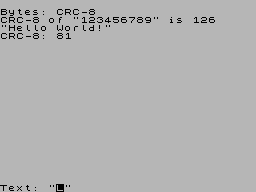
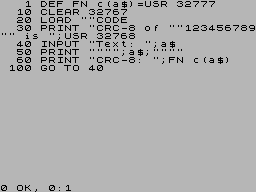
The program:
  1 DEF FN c(a$)=USR 32777
 10 CLEAR 32767
 20 LOAD ""CODE
 30 PRINT "CRC-8 of ""123456789"" is ";USR 32768
 40 INPUT "Text: ";a$
 50 PRINT """";a$;""""
 60 PRINT "CRC-8: ";FN c(a$)
100 GO TO 40
Time to save our work in a .tap file:
program.save_tap 'crc', line: 10
calc.save_tap 'crc', append: true, name: 'CRC-8'
go to ZX Spectrum or an emulator:
LOAD "crc"
and load the crc.tap file.
Enjoy!
Examples¶ ↑
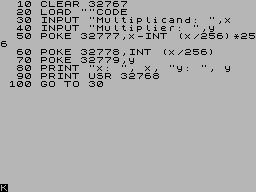
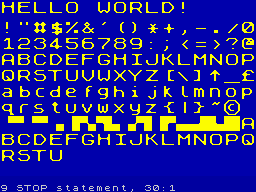
Sources for the examples can be found in the example directory.
Click on an image to run the example in a web emulator:




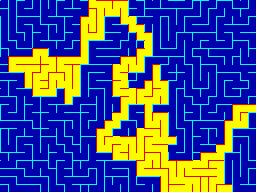
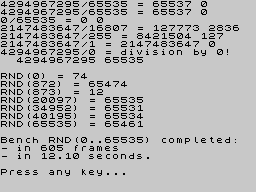

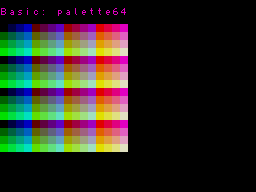
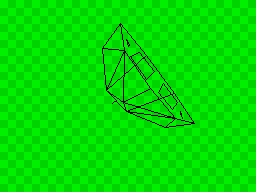
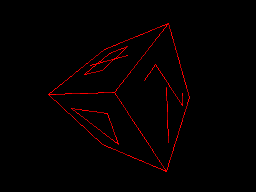
The YARTZ demo released at Speccy.pl/2019 was made entirely using this gem, including music.

Bootstrap¶ ↑
You may use the zxinit tool provided by this gem to bootstrap a new program.
Provide a target file name and optionally the main class name.
$ zxinit hello_world
ZXINIT: initializing program HelloWorld at ./hello_world.rb
ZXINIT: ready
ZXINIT: compile and run HelloWorld with:

  zxrun "./hello_world.rb" "hello_world.tap"
Another tool: zxrun can be used to optionally compile ruby sources and run the emulator with the last argument provided.
$ zxrun hello_world.rb hello_world.tap
8000:                                  :start_test
8000: D9          exx
8001: E5          push hl
8002: CD0880      call 8008H           -> start
8005: E1          pop  hl
8006: D9          exx
8007: C9          ret
============= HelloWorld =============
8008:                                  :start
8008: 3E02        ld   a, 02H
800A: CD0116      call 1601H           -> rom.chan_open
800D:             --- begin ---
800D: 111880      ld   de, 8018H       -> text_data
8010: 010D00      ld   bc, 000dH       -> (+text_data)
8013: CD3C20      call 203cH           -> rom.pr_string
8016: 180D        jr   8025H           -> EOC
8018: 48 65 6C 6C 6F 20 77 6F Hello wo :start.800d.text_data
8020: 72 6C 64 21 0D          rld!.    :start.800d.text_data
8025:             ---  end  ---        :start.800d.EOC
8025: C9          ret
^^^^^^^^^^^^^ HelloWorld ^^^^^^^^^^^^^
Program: "hello_worl" LINE 9999 (58/58)
Bytes: "hello_worl" CODE 32768,38
DSL API¶ ↑
Z80 libraries¶ ↑
Z80 3D utilities¶ ↑
ZX Spectrum libraries¶ ↑
ZX Spectrum utilities¶ ↑
Features:¶ ↑
bin/zxgallery¶ ↑
ZXGALLERY 0.4: Creates a TAP file with a ZX Spectrum screen gallery.
Usage:
zxgallery [options] screen_files...

  screen_files: paths to SCR files to be appended to the tape;
  options:
    -o, --output: the target file name (the .tap extension is optional),
    -c, --code: the address of the code in the range: 32768..51054
- Example gallery
-




See
ZXUtils::Galleryfor more information.bin/zxconv¶ ↑(requires RMagick rmagick.rubyforge.org/)
ZXCONV 0.5: Converting images to ZX Spectrum is fun!
Usage:
zxconv source destination [options]
  rendering options:
  -m, --mode 0|1|2|3|4        color mode
          0: 15 colors
          1: 8  basic colors
          2: 8  bright colors
          3: 15 colors, bright colors have priority
          4: 15 colors, basic colors only on black backgrounds
  -h, --hires n|c|p|i         high resolution mode
          n: 256x192 pixels 8x8 color attributes (ZX Spectrum)
          c: 256x192 pixels 8x1 color attributes (ULA+)
          p: 512x192 pixels monochrome (ULA+)
          i: 256x384 pixels interlaced (ZX Spectrum 128k/ULA+)
  -d, --dither n|r|f[n|r|f]   dithering mode phase1,phase2
          n: none
          r: riemersma
          f: floyd-steinberg
  -c, --colors CCC....        list of allowed color indexes (0..7)
  -0..15, --bg N              background color (0..15)
  -r, --ratio N/N             bright/basic color level ratio
  -l|L, --[no-]autolevel      apply auto level to source image
  -g|G, --[no-]autogamma      apply auto gamma to source image

  destination format and content:
  -f, --format t|b|r|a        zx spectrum data file format
          t: save as TAP; one file is created
          b: save as binary data; separate files for scr and bitamp
          r: save as ruby source
          a: save as assembler source
  -s|S, --[no-]savescr        save ZX Spectrum screen data
  -b|B, --[no-]savebin        save pixel bitmap (linear) data
  -a|A, --[no-]saveattr       save color attributes (linear) data
  -i|I, --[no-]saveimg        save image file
                              (format determined by destination ext.)
  -x|X, --[no-]x2-pixels      enlarge and normalize output image pixels
                              (only applied for image file)
  default options are:
  -m0 -hn -dn -r4/3 -0 -ft -s -i
zxconv -m4 -l -x examples/horse.jpg horse.png

ULA+ modes are also supported:
zxconv -m4 -l -hc -x examples/horse.jpg horse_hicolor.png

zxconv -l -df -hp -x examples/horse.jpg horse_hires.png

Requirements¶ ↑
Ruby 2.1.0 or later.¶ ↑
If you want to use Bundler, then Ruby 2.3.0 will be required. The recommended Ruby version is 2.6.0.
- Author
-
Rafał Michalski
Licensing¶ ↑
This package is free to use in open source under the terms of the Parity Public License.